For GPG basic concepts, check out this blog post on Median, which well explained what GPG is and the basic practice is about it.
Sign Content
Here we use Kleopatra on Windows to demonstrate how to sign content using its Notepad feature.
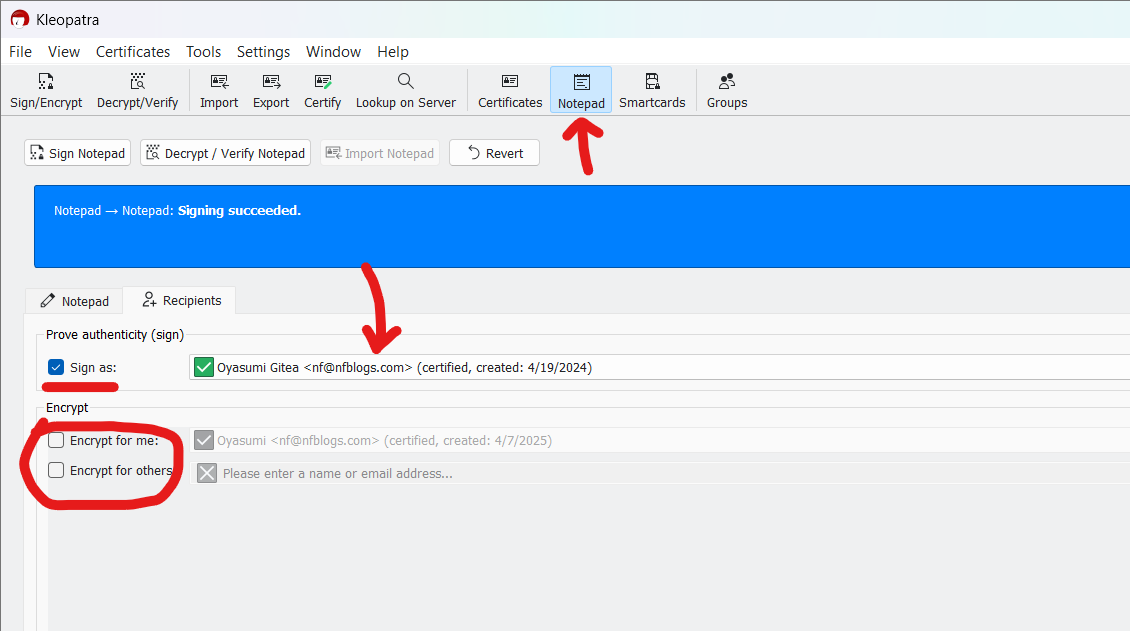
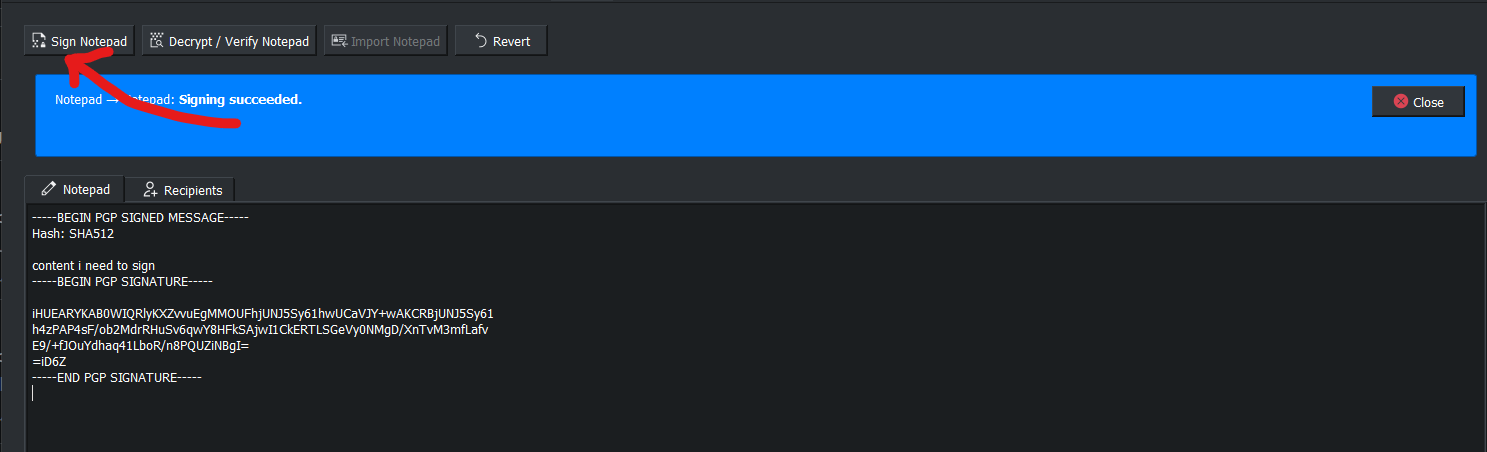
As shown above:
- Choose the right key you want to use
- Check
Sign as, uncheckEncrypt - Go back to “Notepad”, enter the content, then click “Sign Notepad” at the top
Sign Commit Using Git
Set Up GPG Sign for Git Commit
// check keys
gpg --list-keys

// set git username and email (optional)
git config user.name "name here"
git config user.email "test.email"

// choose the key to use, enable signing
git config user.signingkey KEY_FINGER
git config commit.gpgsign true
After these steps, git will now sign your commit with specified key.
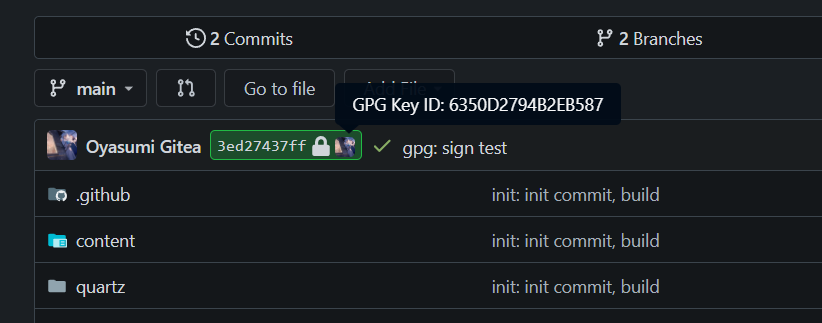
More About Git Config
To check a specific config, use --get. To set global config instead of repo-wise, use --global:
// check configs
git config --get user.name

// set global configs
git config --global
For more info about git config, checkout official doc.
Update Trust DB
Sometimes, the trust status in Kleopatra and gpg command is different. In this case, we could run the following command to update trust db:
gpg --update-trustdb
If success, we will see something like below:

Export Keys
gpg --export-secret-keys --armor > keys.gpg
Then we could import our secret keys elsewhere using keys.gpg files.