Note: Author is using:
- Core: Mihomo
- Frontend: Clash Verge

As the image shows, some proxy providers will provide some nodes specifically dedicated to downloading task, with lower ratio but lower rate limit (10Mbps in image above).
This post demonstrates how to use Load Balance proxy group feature in clash core to download files using several such “download nodes”, effectively bypassing the speed limit set on every signal downloading node.
Create Proxy Group
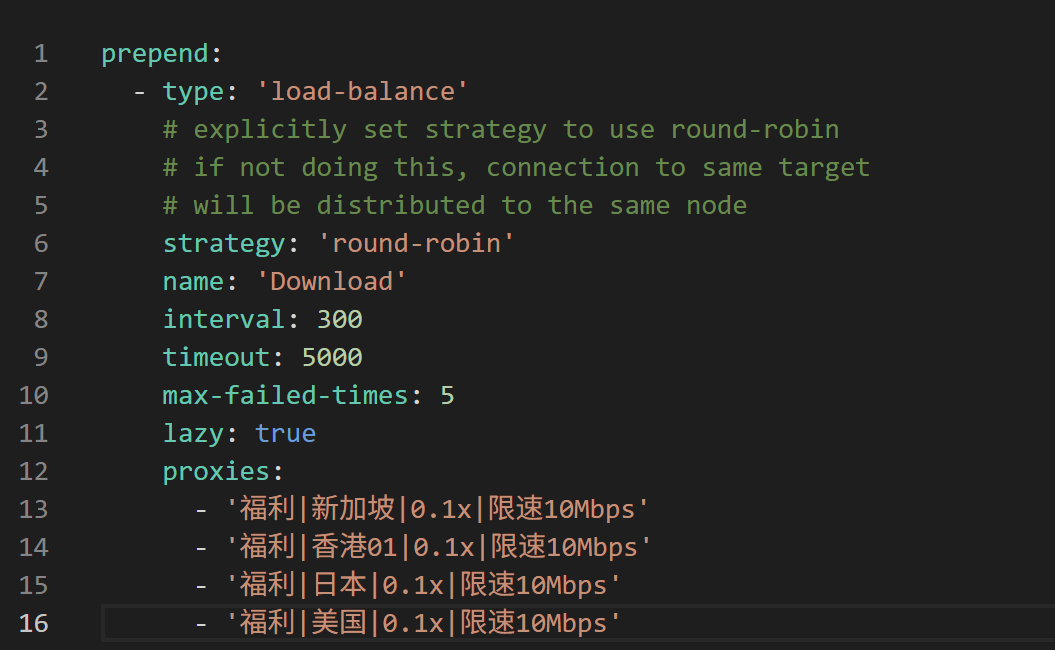
As the picture shows above, create a new proxy group that:
- Use
type: 'load-balance' - Use
strategy: 'round-robin'
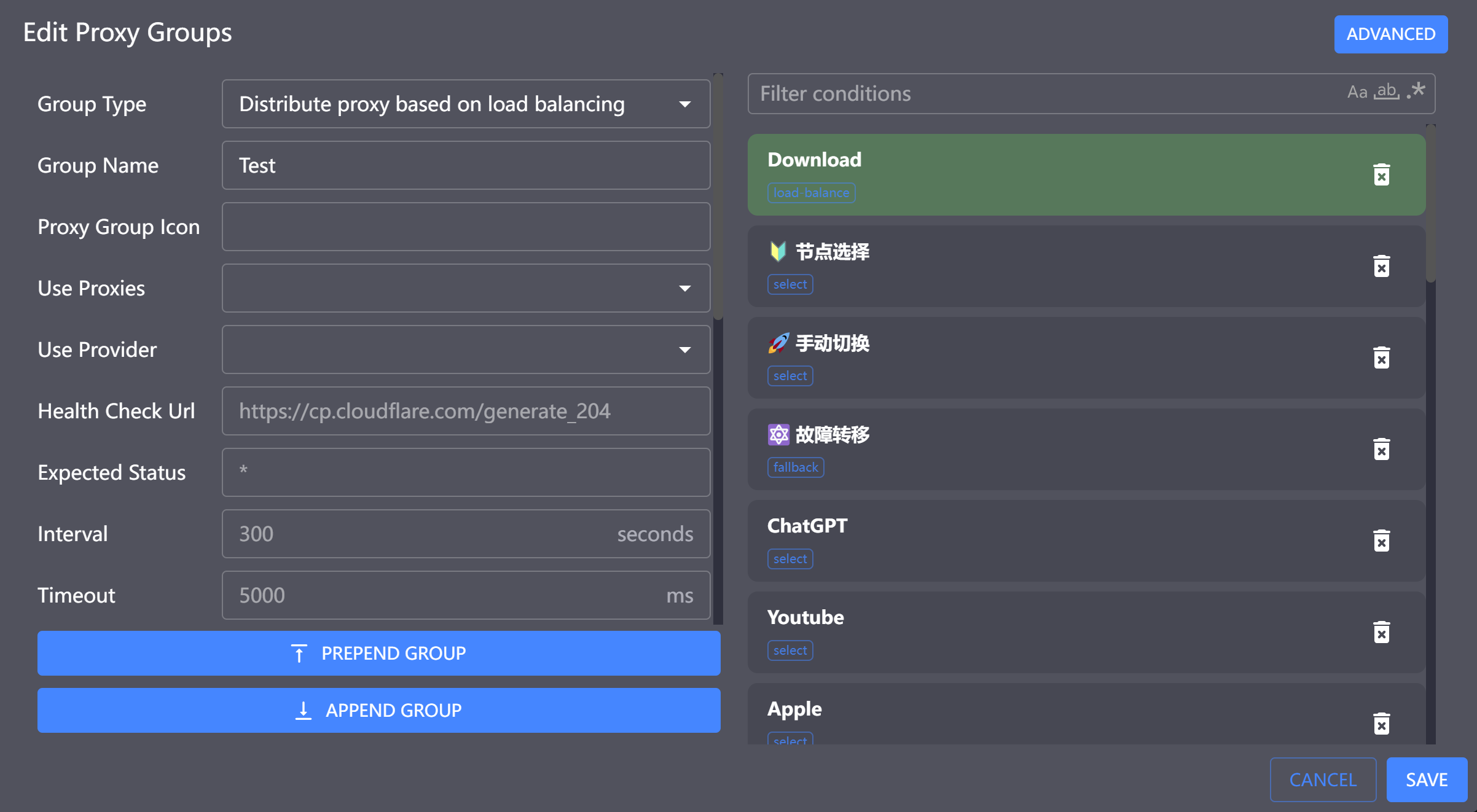
Note: You could use Visualization UI interface to add proxy group and set load-balance type, however, strategy field cannot be configured through the UI and require editing in ADVANCED edit mode (by clicking the “ADVANCED” button at the top-right corner) manually, as shown in the image below:
Add Rules
Let’s say we want connections with download.example.com to use such load-balancing download group, we could add a proxy rule specifying this:
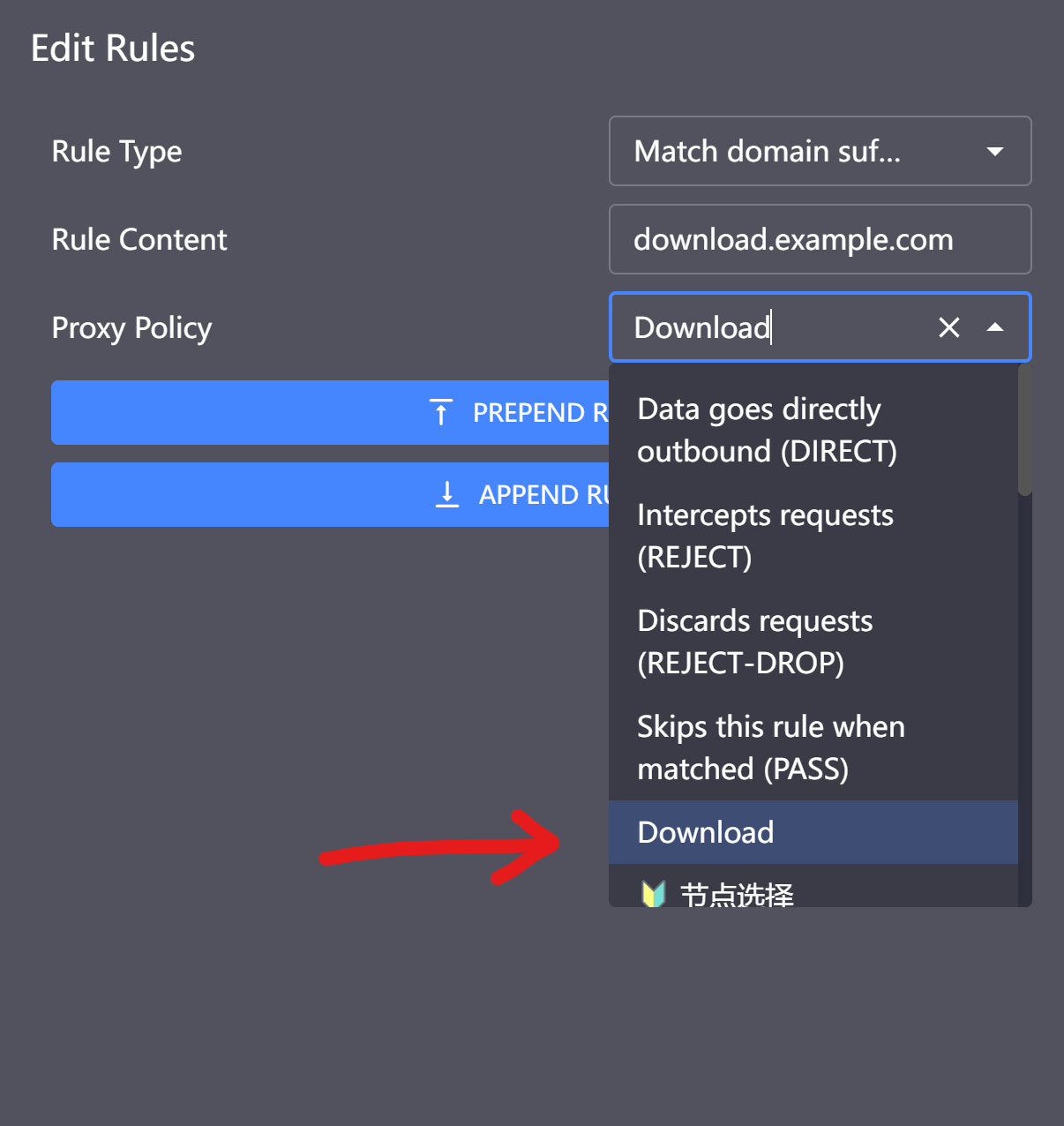
As the image shows, we specify that DOMAIN-SUFFIX: download.nfblogs.com to use the proxy group we just created in previous step.
After all these settings, all connections with destination download.example.com should now use the load-balancing proxy group. When downloading a file using multiple TCP connections, the speed would be higher than before.
Check The Connection
We could checkout the connection status at the Connection tab to verify if the load-balancing strategy is working:
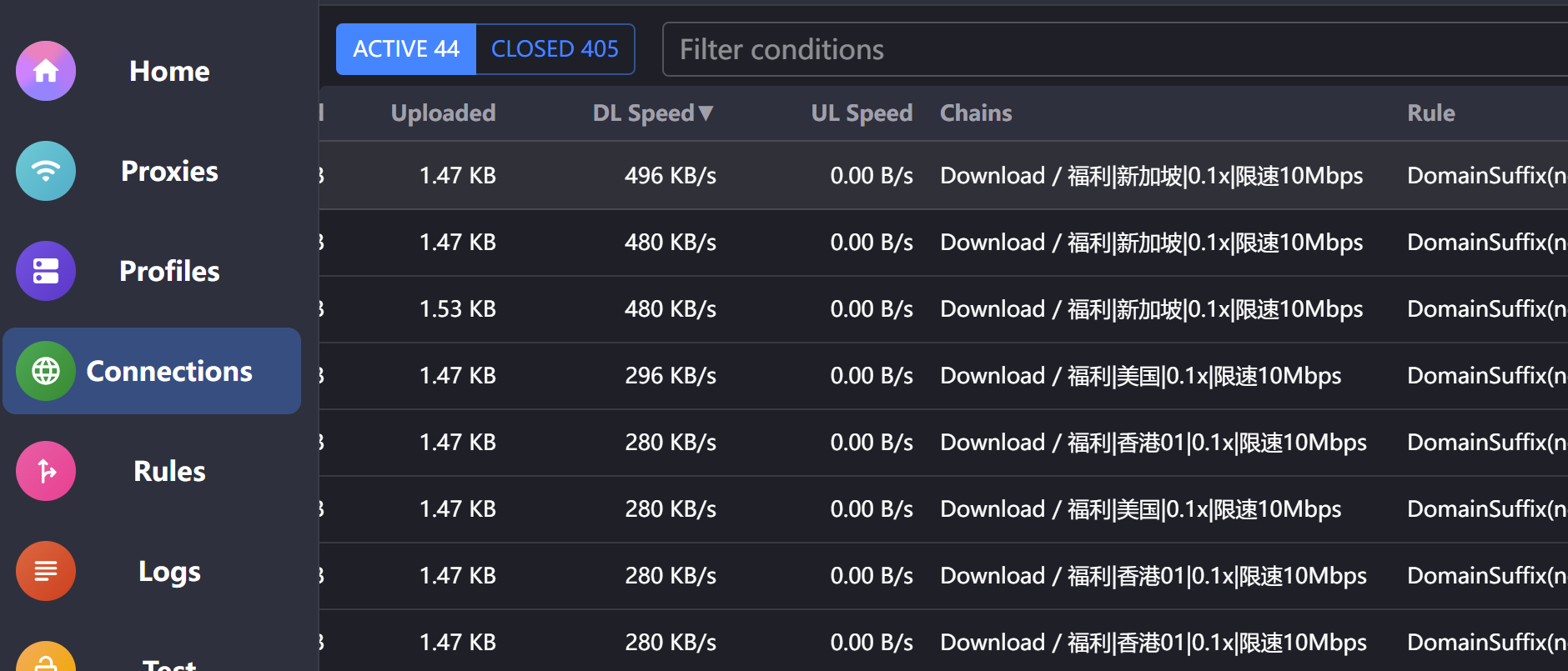
If you observe that several different downloading nodes are being used, it means the configuration was successful and everything is working as expected.