Senarios
Let’s say we have a directory animes, with several sub directories, one of which is animes/Dandadan. And now:
- My
NextCloudwants to have Read/Write access toanimessince its mounted as external storage and visible to users - My
qBittorrentdownloader wants to have Read/Write access to it, obviously because it wants to save the downloaded animes there.
In this scenario, we could use ACL (getfacl and setfacl) to achieve such permission management.
Check ACL Status
First let’s go to animes directory:
cd /path/to/animes
getfacl .
getfacl -a .
-a/--access means only showing the access setting, without default::*, we will use this flag in the later commands.
Clear ACL Settings
To have a clean start, you may want to clear all previous ACL settings if exists.
setfacl -R -b .
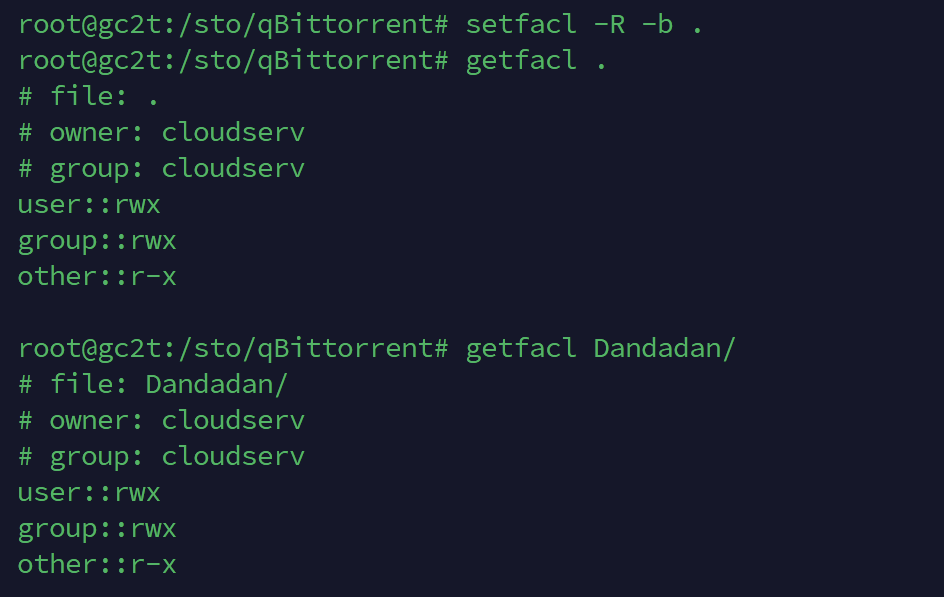
Note that /sto/qBittorrent in the image is equivalent to animes in my previous example.
Grant Permission
In this step, we grant the permission to all groups/users we want them to have permission of accessing animes by using command setfacl -m g:xxx:rwx .
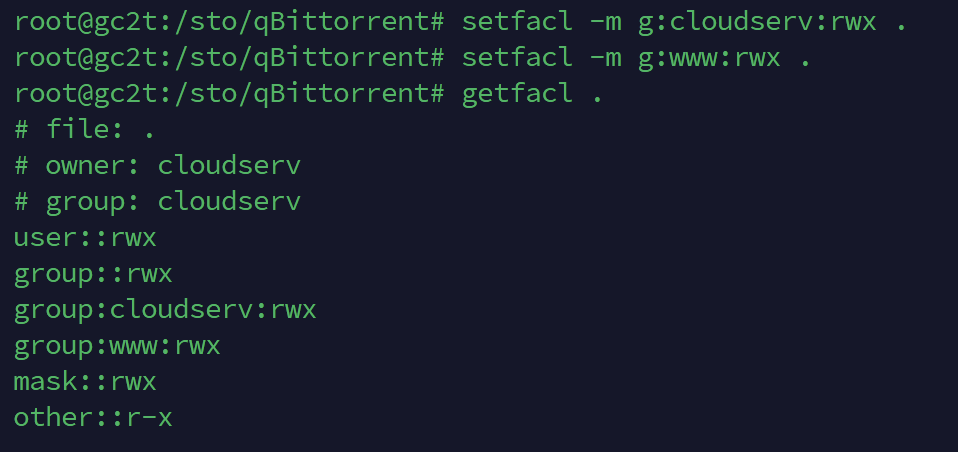
We could also use getfacl to check if everything is fine after granting.
Apply Recursively
getfacl -a . | setfacl -R -M - .
getfacl -a . | setfacl -R -d -M - .
- The first line applies ACL settings of current directory to all sub directories.
- The second line is similar but applies as
defaultto all sub directories.
Note: default settings of a directory could ensure the new file/directory created in a such directory will have the configured default ACL settings. So, it’s necessary to set these correctly if one of those granted user/group need to create new file/directory in the future, and you want that new file/directory is also accessible for other user/groups.