This article introduces an approach to enable VS Code PowerShell integration in Python projects, including some basic python environment management.
Define Helper Function
function Initialize-VSCodeEnv (
    [Parameter(Position = 0)]
    $env = ""
) {
    $ActivityName = "VS pwsh Integration"

    Write-Progress -Activity $ActivityName -Status "Init VSCode hook" -PercentComplete 60;
    . "$(code.cmd --locate-shell-integration-path pwsh)"

    Write-Progress -Activity $ActivityName -Status "Adding func" -PercentComplete 70;
    function P {
        $command = "python " + ($args -join ' ')
        Invoke-Expression $command
    }

    Write-Progress -Activity $ActivityName -Status "Enabling conda command" -PercentComplete 80;
    Use-Conda;

    try {
        if ($env -eq "") {
            Write-Progress -Activity $ActivityName -Status "Activating conda env base" -PercentComplete 90;
            conda activate
        }
        else {
            Write-Progress -Activity $ActivityName -Status "Activating conda env '$env'" -PercentComplete 90;
            conda activate $env
        }

    }
    catch {
        Write-Error "Failed to activate conda environment '$env' `n$_"
    }
    finally {
        Write-Progress -Activity $ActivityName -Completed;
    }
}
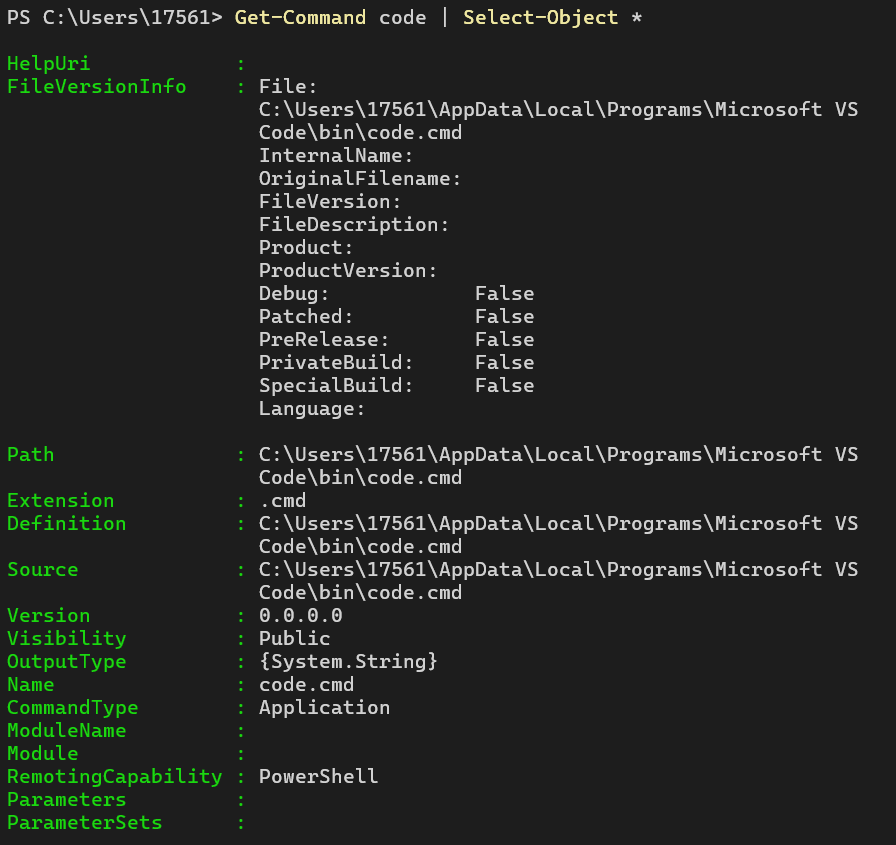
Note in some cases, code.cmd could be mandatory instead of code, otherwise there could be error.
You could use Get-Command to check details about it:
VS Code Workspace Config
{
    "[instructions]": {
        "editor.formatOnSave": true
    },
    "[markdown]": {
        "editor.formatOnSave": true
    },
    "[python]": {
        "editor.formatOnSave": true
    },
    "python-envs.defaultEnvManager": "ms-python.python:conda",
    "python-envs.defaultPackageManager": "ms-python.python:conda",
    "python.terminal.activateEnvironment": false,
    "terminal.integrated.defaultProfile.windows": "PowerShell",
    "terminal.integrated.profiles.windows": {
        "PowerShell": {
            "source": "PowerShell",
            "icon": "terminal-powershell",
            "args": [
                "-NoExit",
                "-Command",
                ". Initialize-VSCodeEnv graduation_design"
            ]
        },
    },
    "files.exclude": {
        "**/.git": true,
        "**/.svn": true,
        "**/.hg": true,
        "**/.DS_Store": true,
        "**/Thumbs.db": true,
        "**/flutter/ephemeral": true,
        "**/Flutter/ephemeral": true,
        "**/.symlinks": true,
        "**/.plugin_symlinks": true,
        "**/__pycache__": true,
    },
    "chat.tools.terminal.autoApprove": {
        "pytest": true
    },
    "python.analysis.autoImportCompletions": true
}
Below are some points:
- Use
condaas default Python env and package manager - Disable VS Code env auto-activate behavior (since that’s handled by our helper function)
- Custom PowerShell terminal config to trigger helper function using dot-source in project directory.